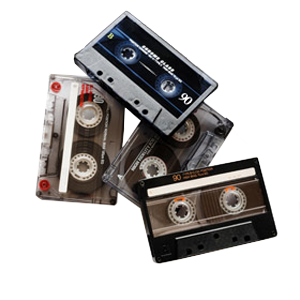
Whether you need a single VHS tape converted for a family event or an entire archive of various professional formats digitized for a documentary project, DVD Your Memories has the expertise and equipment to help. For over 15 years, we’ve provided professional video transfer services for families, studios, museums, universities, and businesses.
We support nearly every format and deliver results you can trust, converting virtually any videotape format to digital files on a USB or external hard drive, digital download, or even DVD or Blu-Ray! With our high-quality video conversion, your memories are safe, secure, and ready to enjoy on today’s devices.
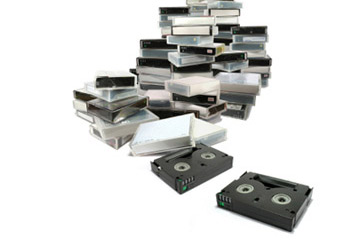
Save 10% on 6 or more tapes or Save 20% on 20 or more tapes
| Transfer to Digital File or DVD | Transfer to Digital File and DVD |
|
|---|---|---|
| Pricing (per tape)* | $29.99 | $39.99 |
| *Above pricing applies to video tapes up to 2 hours, tapes exceeding that time are $10 per each additional 2 hours. | ||

Sharing your memories with others? We provide extra CD/DVD copies packaged and ready for only $10 each, and Blu-ray copies for $20 each.
$10 per CD / DVD
$20 per Blu-ray disc
| Transfer to Digital File or DVD | Transfer to Digital File and DVD | |
|---|---|---|
| Pricing (per tape)* | $39.99 | $49.99 |
| *Above pricing applies to video tapes up to 2 hours, tapes exceeding that time are $10 per each additional 2 hours. | ||
Sharing your memories with others? We provide extra CD/DVD copies packaged and ready for only $10 each, and Blu-ray copies for $20 each.
$10 per CD / DVD
$20 per Blu-ray disc
| Transfer to Digital File or DVD | Transfer to Digital File and DVD | |
|---|---|---|
| Pricing (per tape)* | $49.99 | $59.99 |
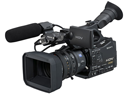
HDV to digital Files: High definition video tapes will be transferred to a HD Mp4 file, and can be loaded onto an external hard drive, flash drive, or uploaded.
HDV to DVD: Videos will be down-converted to standard definition DVD.
HDV to Blu-ray: Discs are BD-R, a BD-R compatible player is required for playback. For more information about our Blu-ray services, please visit our Blu-ray transfer page.
DVD copies are available for $10 each.
Blu-ray copies are available for just $20 each.
* Digital video file must be on accessible flash memory device or External (USB) Hard Disk Drive, price valid for files up to 2 hours in length.
Tape Repair Service is only $30 per tape. Re-splicing the tape and replacing the cassette shell when necessary are included in this service. Repaired tapes must go through our tape transfer service after the repair has finished. Got a simple fix? Check out our Video Tape Repair Guide.
$30 per CD / DVD
Sharing your memories with others? We provide extra CD/DVD copies packaged and ready for only $10 each, and Blu-ray copies for $20 each.
$10 per CD / DVD
$20 per Blu-ray disc
Upgrade to Blu-ray and experience the future of family media! For more information about transferring your video tapes to Blu-ray, please visit our Blu-ray transfer page.
Do your old home videos have footage you would like to take out? Or maybe you want to make a highlight video of your daughter’s dance performances? Work with one of our professional editors one-on-one to make the perfect custom movie. It’s quick and less expensive than you think!
$40 per half hour
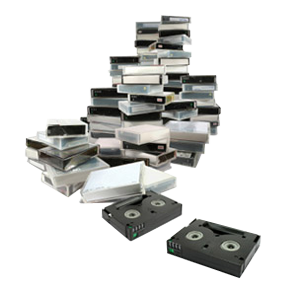
Over the years, video has been recorded on dozens of different tape formats. Many of them are now obsolete, but our tape-to-digital service supports nearly all of them. Some of the most common formats include:
From vintage media conversion to more recent digital formats, our technicians have the experience to ensure a high-quality video conversion every time.
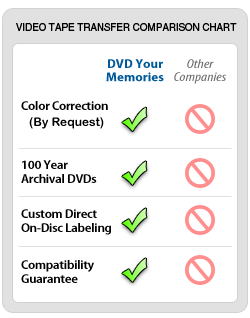
At DVD Your Memories, we use only the highest-quality archival DVDs like the ones from Taiyo Yuden. Every disc comes with our compatibility guarantee, so you never have to worry about playback errors or disc failures. Your videos will work on standard DVD players and televisions, ensuring you can enjoy your memories without interruption.
If you bring in several shorter tapes, we can combine them onto a single DVD at no extra cost. This helps reduce the clutter that multiple short DVDs would make and makes it easier to enjoy your videos in one sitting. Many clients use this option to group themed content, such as birthday parties, holiday celebrations, or family vacations.
Each 100-year archival DVD holds up to two hours of footage. For the best results, we recommend combining videos that average one hour or less each to ensure smooth playback and lasting quality.
Make your VHS-to-DVD transfers more convenient by adding chapter markers. These markers let you skip directly to the scenes you want using the Next or Previous button on your DVD player’s remote.
We can add chapters at fixed intervals (for example, every 10 minutes) or at specific points you choose, like at the beginning of a new video if you’ve combined several. This customization is also especially useful for longer recordings, letting you revisit your favorite moments quickly and easily.
Every order includes trimming of blank sections at the beginning and end of your tapes. For a more polished final product, we also offer additional editing services:
These editing options make your memory preservation project more personal and tailored to your viewing needs.
If you plan to edit or archive your collection digitally, we recommend transferring your tapes to a hard drive or USB device. Files are saved as NTSC DV AVI, the most widely supported format across editing platforms.
As part of our analog-to-digital conversion, we take every precaution to safeguard your files. While data loss is rare, we will ask you to sign a data-loss waiver if you provide a drive that already contains files, since the risk is always there.
Many clients ask if they can edit directly from the DVDs we create. The short answer is no. A more nuanced answer is that yes, the capability exists if you have the skills, but it’s not ideal. DVDs use compressed MPEG-2 video, which means:
The better option is to work from the DV AVI files we provide through our tape-to-digital service. These files are uncompressed, higher quality, and much easier to edit.
If a DVD is your only available source, we can still work with it. While results won’t match the quality of uncompressed files, our technicians can help preserve and repurpose the footage. Please call us to discuss your options if you have questions about this.
We transfer nearly all consumer, professional, and rare formats, including VHS, VHS-C, Hi8, Video8, Digital8, MiniDV, Betamax, Betacam, U-Matic, PAL/SECAM, and more.
Most projects are completed within 1–2 weeks, depending on tape quantity and condition. Rush service is available.
Yes. We offer tape repair services that include re-splicing and cassette shell replacement. Once repaired, the tape can be digitized like normal.
We offer packages that include both. Many clients choose DVDs for easy playback and AVI files for editing and backup.
Yes. Files can be transferred to thumb drives, hard drives, or digital downloads. They’re compatible with most computers and editing software.
Your videotapes won’t last forever. Magnetic tape naturally degrades, and every year you wait puts your recordings at greater risk. With DVD Your Memories’ professional video transfer service, you can safeguard family moments, business archives, or historical collections through high-quality video conversion.
Whether you want VHS to digital, video tape to USB, or full digital video archiving, we make it simple to protect your memories for the future. Bring your tapes to one of our locations or order online today. Your memories deserve to be preserved.