VHS to DVD
Transfer VHS Tapes
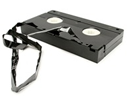
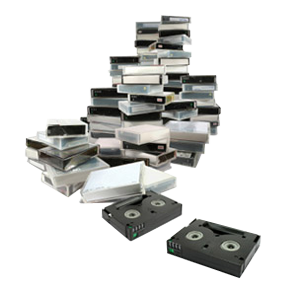
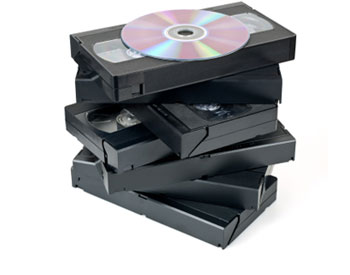
VHS Tapes are the most common type of video tape used to record family memories. However, these tapes are degrading fast, and won’t last forever. Transfer your VHS to DVD or hard drive in order to preserve them for years to come.
Pricing and Basic Info
Standard Formats
VHS, VHS-C, Hi8, 8mm, Video8, Digital8, MiniDV, MicroMV, MiniDVD
| Length (Minutes) | Transfer To DVD | Transfer to Hard Drive |
|---|---|---|
| 1-30 | $15.00 each | $20.00 each |
| 31-64 | $20.00 each | $40.00 each |
| 65-90 | $25.00 each | $60.00 each |
| 91-124 | $30.00 each | $80.00 each |
| Additional Hours | $10.00 each | $40.00 each |
- You are only charged for the actual recorded video per tape. If you have a two hour tape but there is only one hour recorded you would pay for one hour.
- This service is for direct video transfer to DVD or hard drive only. All video to DVD transfers are recorded onto our Taiyo Yuden 100 year archival DVDs.
- For information and pricing for hard drives, please visit the Hard Drive Information page. If you are bringing in your own flash/hard drive with data on it to store these files, there is a $15 setup fee. There is no fee if your drive does not have data on it, you do not wish to keep any data on the drive, or if we’ve provided the drive for you.
- Looking to get multiple video formats, or convert your existing video to a new format? Check out our video format conversion pricing page.
-
Extra Copies
Sharing your memories with others? We provide extra CD/DVD copies packaged and ready for only $10 each, and Blu-ray copies for $20 each.
$10 per CD/DVD
$20 per Blu-ray disc
-
Upgrade to Blu-ray
Upgrade to Blu-ray and experience the future of family media! For more information about transferring your video tapes to Blu-ray, please visit our Blu-ray transfer page.
Edit Your Old Home Movies!
Do your old home videos have footage you would like to take out? Or maybe you want to make a highlight video of your daughter's dance performances? Work with one of our professional editors one-on-one to make the perfect custom movie. It's quick and less expensive than you think!
$40 per half hour
-
Tape Repair Service
Tape Repair Service is only $30 per tape. Re-splicing the tape and replacing the cassette shell when necessary are included in this service. Repaired tapes must go through our tape transfer service after the repair has finished. Got a simple fix? Check out our Video Tape Repair Guide.
$30 per tape
VHS Transfer
Transferring VHS to DVD
We all had them at one point, but what are these things, and where did they come from?
Video Home System (VHS) tape and the VHS recorder were developed by a team at the Victor Company of Japan (JVC) in 1976. Videotape is a linear system of storing information. VHS originally stood for Vertical Helical Scan, a reference to the recording system used. Later in 1976, the VHS format was introduced by JVC and Panasonic.
Although its primary rival was Sony’s Betamax, there was a brief period of time when other companies such as Philips, MCA, and RCA produced different tape formats and disc systems. All of these systems failed to capture the market and never became popular. VHS won out due to its many advantages including, the ability to rewind and fast forward at quicker rate, the unthreading system, and more importantly its longer recording time. VHS videocassettes peaked with the sale of The Lion King, which sold more than 30 million copies in the U.S. alone. The VHS format continued to thrive for two decades until the invention of the DVD.
By 2000, DVD had become a much more popular and efficient tape format. DVD sales rapidly surpassed VHS in the United States and from the time DVD came had reached the end of its time on the scene, VHS tape experienced a rapid decline. The last VHS tape that was mass-produced was The History of Violence. By 2005, the use of VHS tape for feature films had stopped. VHS videocassettes had been discontinued for release to the public. VHS had a long and prosperous run. By the end of 2005, there were still an estimated 90 million machines that played VHS tape and were still functioning. VHS tape had a long career and its impact will continue to be felt as the next generation of hi-def formats takes its place in recording world.
Combining Multiple Tapes to DVD
When bringing us multiple tapes, you also have the option of combining your VHS tapes onto one or multiple DVDs, at no extra cost. Combining several shorter tapes onto one DVD will save you the hassle of having several short-duration DVDs laying around. This can also be useful for combining multiple tapes of similar subject manner, such as transferring all of your children’s birthday party videos onto a birthday DVD compilation. The only limitation is that our 100-year archival DVDs will hold up to 2 hours of video, so each combined video must have an average run time of one hour or less.
DVD Compatibility
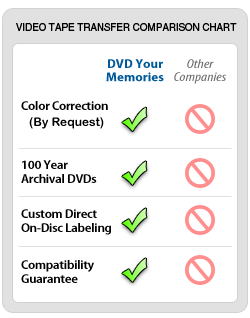
At DVD Your Memories, we use only the highest quality 100-year archival DVDs for transferring your precious VHS to DVD. We are so confident that our video to DVDs will work for you that we offer compatibility guarantee on all of our video to DVD transfers! Never again worry about your old DVD player, or a disc read error! All of our discs are guaranteed to work for your television and your home DVD player.
“Tape-Smart” Pricing Structure
Notice that the pricing structure gives you an extra four minutes on one hour and two hour VHS to DVD transfers. This has been changed because most VHS tapes run a few minutes past the one hour or two hour marks.
Transferring to Hard Drive Option
Transferring your VHS tapes to an external hard drive is recommended if you are going to edit your footage. The file type is NTSC DV AVI, the most standard format across all video editing platforms. Hard drives can be PC or Mac formatted and the file format is AVI DV with each hour of video taking up 13 gigabytes.
If you are going to purchase a hard drive through DVD Your Memories, we will recommend a certain size based on the total length of your video transfer footage. If you are going to bring in a drive, please understand the space requirements and plan accordingly. Also we recommend bringing in a new drive, but if you would like to bring in a drive that has data on, we will ask that you sign a data-loss waiver. We’ve never lost data on a hard drive, but the possibility always exists.
Editing
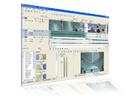
With every order, we will crop out any blank footage and provide color correction to your tapes. We also provide additional basic editing services available to all of our video to DVD transfer services. Add an extra touch to your finished DVD by taking advantage of some simple basic edits.
- With basic editing you can crop out as much unwanted footage from your tapes as you wish. This is especially helpful if you have long running tapes with only a few sections you’d like transferred. With basic editing you can crop out all of the unwanted material, which leaves you with only the stuff you want on your final DVD.
- If you have several tapes with short clips on each, you can now combine all of the clips you need onto one DVD movie. Our editing service will allow you to pull any amount of footage from your tapes and consolidate them onto a DVD for easy viewing.
- Remove commercials from your recorded television programs. Remove those annoying old commerical breaks from your video tapes, and watch your old programs seamlessly on your new DVD. This is great for special television specials such as sports entertainment, politics, and news footage.
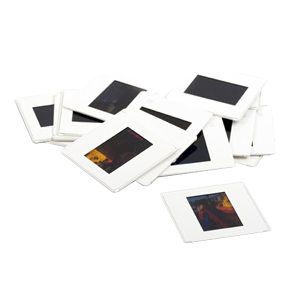
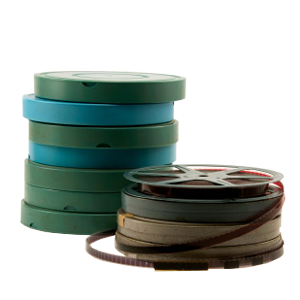
- Have you ever wanted to combine your tapes with other media? We can actually take your video tapes and combine them with photos, slides, negatives, and film to give a much more professional look to your DVD.
Editing From DVDs?
Many customers ask us if they can edit the video footage if we make them DVD movies. The simple answer is no. The complete answer is yes, almost anything is possible if you are an advanced computer user, but for many reasons it is not advisable to do so. The main reason is that you would be working with highly compressed video.
If you transfer the data from the DVD to the computer for editing, the quality is not the same as that of the originally uncompressed video used to create the DVD. It also takes a lot of processing power to edit the compressed video, and although you can fix this problem by converting it to a less compressed video format (such as AVI), you will still see a quality loss. Also when you re-render that video that has previously been on a DVD it will recompress again and you will notice more than a little loss of detail.
Areas Served
DVD Your Memories curently providing VHS to DVD services for Los Angeles, San Diego, Orange County and Denver.
San Diego Cities
Clairemont Mesa, Del Mar, La Jolla, Mission Beach, North Park, Pacific Beach, Torrey Hills, Torrey Pines, University City, Carmel Mountain Ranch, Miramar, Mira Mesa, Rancho Bernardo, Rancho Penasquitos, Sabre Springs, Scripps Ranch, Sorrento Valley, Kearny Mesa, Mission Valley East, San Carlos, Serra Mesa, Tierrasanta, Hillcrest, Linda Vista, Morena, Ocean Beach, Oceanside, Old Town, Pacific Beach, Point Loma, Shelter Island, Sunset Cliffs, University Heights, Balboa Park, Bankers Hill, Lemon Grove, El Cajon, Santee, Lakeside, La Mesa, Poway, Encinitas, Chula Vista, Cardiff, Leucadia, Eastlake, Bonita, Vista, Imperial Beach, National City, San Marcos, Solana Beach, Alpine, Fallbrook, Jamul, Harbison Canyon, Borrego Springs, Casa de Oro, Mount Helix, Spring Valley
Los Angeles Cities
Acton, Alhambra, Altadena, Arcadia, Avalon, Azusa, Baldwin Park, Bellflower, Bell Gardens, Bell, Beverly Hills, Burbank, Calabasas, Carson, Century City, Cerritos, Claremont, Compton, Covina, Culver City, Diamond Bar, Downey, Duarte, Eagle Rock, East Los Angeles, El Monte, El Segundo, Encino, Gardena, Glendale, Glendora, Hawaiian Gardens Hawthorne, Hermosa Beach, Huntington Park, Inglewood, Irwindale, La Canada Flintridge, La Mirada, La Puente, La Verne, Lakewood, Lomita, Lancaster, Long Beach, Los Angeles, Lynwood, Malibu, Manhattan Beach, Marina Del Rey, Maywood, Monrovia, Montebello, Monterey Park, Montrose, Northridge, Norwalk, Palmdale, Palos Verdes Penninsula, Paramount, Pasadena, Pico Rivera, Pomona, Rancho Palos Verdes, Redondo Beach, Rosemead, San Dimas, San Fernando, San Gabriel, San Marino, San Pedro, Santa Clara, Santa Fe Springs, Santa Monica, Sierra Madre, South El Monte, South Gate, South Pasadena, Sunland, Studio City, Tarzana, Temple City, Toluca Lake, Torrance, Tujunga, Valencia, Van Nuys, Venice, Verdugo City, Vernon, Walnut, West Covina, West Hollywood, Whittier
Orange County Cities
Aliso Viejo, Anaheim, Avalon, Brea, Buena Park, Commerce, Corona, Costa Mesa, Cudahy, Dana Point, Duarte, Foothill Ranch, Fountain Valley, Fullerton, Garden Grove, Hawaiian Gardens, Hidden Hills, Huntington Beach, Industry, Irvine, La Habra, La Miranda, La Palma, La Puente, La Verne, Laguna Beach, Laguna Hills, Laguna Niguel, Lake Forest, Lawndale, Los Alamitos, Mission Viejo, Newport Beach, Palos Verdes Estates, Placentia, Rancho Santa Margarita, Rolling Hills Estates, Rolling Hills, Sierra Madre, Signal Hill, San Clemente, San Juan Capistrano, Santa Ana, Seal Beach, Stanton, Tustin, Vernon, Villa Park, Yorba Linda
Denver Cities
Denver, Aurora, Highlands Ranch, Centennial, Greenwood Village, Glendale, Littleton, Thornton,Lakewood,Sheridan, Cherry hills Village, Englewood, Lone Tree, Wheatridge, Arvada, Westminster, Parker, Golden, Northglenn, Castle Rock
Zip Codes
92656, 92698, 92801, 92802, 92803, 92812, 92821, 92822, 92823, 90620, 90621, 90622, 92625, 92626, 92627, 92628, 90630, 92629, 92650, 92609, 92610, 92708, 92728, 92831, 92840, 92842, 92846, 92605, 92602, 90631, 92637, 92630, 92690, 92658, 92856, 92672, 92675, 92701, 92780, 92885
92007, 92009, 92014, 92024, 92025, 92026, 92027, 92029, 92040, 92064, 92065, 92067, 92069, 92071, 92075, 92078, 92091, 92111, 92117, 92119, 92120, 92121, 92122, 92123, 92124, 92126, 92127, 92128, 92129, 92130, 92131
80303, 80305, 80027, 80026, 80020, 80614, 80602, 80614, 80601, 80603, 80020, 80640, 80603, 80022, 80007, 80021, 80031, 80030, 80003, 80004, 80403, 80002, 80111, 80110, 80113

Betamax
Hi8, Digital 8, Video 8
MicroMV
MiniDV
MiniDVD
VHS
VHS-C
Betacam
Betacam SP-S
U-Matic
HDV