Preserve your favorite photos, albums, and vintage prints with a professional photo scanning service from DVD Your Memories. Our team digitizes photos by hand using high-resolution flatbed scanners that protect detail, color, and clarity in every image. You can convert photos to digital for sharing or create a digital photo archive for long-term storage. We deliver clean, organized files through your preferred format.
If you’re like most people, you probably have a box or several of old photos tucked away in a closet, stuffed in a drawer, or stacked in the garage. Birthday parties, vacations, family gatherings, moments you haven’t thought about in years. Those memories are still in there. The problem is, they’re slowly disappearing.
Photos from the 1970s and 1980s are already showing significant color shift: the reds fade, the yellows go orange, and the whole image takes on a warm, washed-out cast that gets worse every year. The longer they sit, the more detail is lost and unlike a scratched DVD or a corrupted file, there’s no recovery once a printed photo is gone. It’s the kind of thing people keep meaning to take care of, then don’t until one day they pull out an old photo and realize how much has already faded.
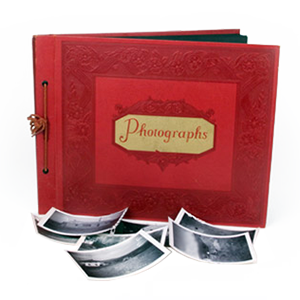
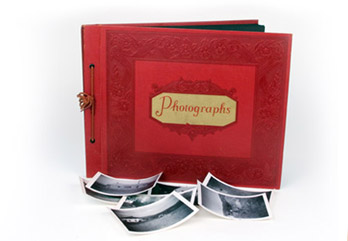
Our team can scan both loose photos and those still inside albums, so you can create a complete digital archive of your most cherished memories. And once they’re digitized, you get your files in whatever format works best for you:
Download Link: Emailed directly to you
Thumb Drive: Our most popular option
Data DVD: A file-carrying disc, not a playable movie DVD
Blu-ray Disc: For maximum storage capacity
External Hard Drive: Recommended for large orders or high-resolution scans
However you want to receive them, your memories will be organized, properly named, and ready to share, print, or store safely for decades.
| Photo Size | 600 DPI | 300 DPI |
|---|---|---|
| Up to 8" x10" | $0.69 each | $0.49 each |
| Above 8" x10" (up to 11" x 15") | $3.49 each | $2.49 each |
| Above 11" x 15" | Please contact us for a customized quote. | |
| Delivery Options: | ||
| Most Popular | Thumbdrive…starting at $20.00 | |
| Download link emailed to you | starting at $5.00 | |
| Data DVD | No Charge (Please note: the Data DVD is not a playable movie DVD…it just carries the files so that you can copy them to your computer) | |
| Simple Slideshow | If you’d like to view your photos as a movie that plays all of the images at random, you can add a simple slideshow to your order. You can have up to 900 images. $49.00 | |
| If you’d like a slideshow video of your photos with music of your choice, titles, and even video clips click here to visit our Video Celebration Page. | ||
NOTE: For quantities over 500 photos, additional bulk discounts apply; please inquire at the time of your order.
300 DPI is fine for most photo scanning orders, but if you want a true archival quality image or plan on printing at sizes larger than the original then 600 DPI resolution option is for you. It is only a few cents more for 4 times the amount of data.

Add $0.25 per image 
$10 for every 100 photos 
$10 per CD / DVD 
$20 per disc 
$1.00 per image restored 
$40 per half hour 
| Photo Size | 600 DPI | 300 DPI |
|---|---|---|
| Up to 8" x10" | $0.99 each | $0.79 each |
| Full Page Scans | $3.99 each | $2.99 each |
| Delivery Options: | ||
| Most Popular | Thumbdrive…starting at $20.00 | |
| Download link emailed to you | starting at $5.00 | |
| Data DVD | No Charge (Please note: the Data DVD is not a playable movie DVD…it just carries the files so that you can copy them to your computer) | |
| Simple Slideshow | If you’d like to view your photos as a movie that plays all of the images at random, you can add a simple slideshow to your order. You can have up to 900 images. $49.00 | |
| If you’d like a slideshow video of your photos with music of your choice, titles, and even video clips click here to visit our Video Celebration Page. | ||
NOTE: For quantities over 500 photos, additional bulk discounts apply; please inquire at the time of your order.
300 DPI is fine for most photo scanning orders, but if you want a true archival quality image or plan on printing at sizes larger than the original then 600 DPI resolution option is for you. It is only a few cents more for 4 times the amount of data.
Add $0.25 per image
$10 for every 100 photos
$10 per CD / DVD
$20 per disc
$1.00 per image restored
$40 per half hour
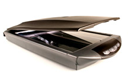
 We scan your photos on flatbed scanners by hand for optimum image quality.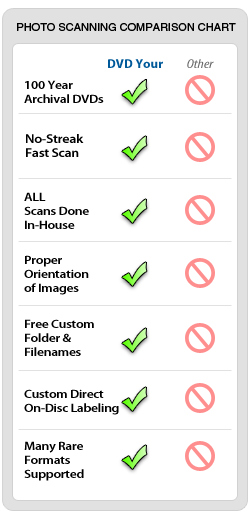

Transferring your images to an external hard drive
is recommended especially for larger orders of many negatives or high-resolution images.
We begin every order by cleaning each photo with controlled compressed air to remove loose dust and debris. After cleaning, our photo digitizing experts scan every image using high-resolution flatbed scanners designed for archival imaging. We do not use document scanners, which can harm photos and produce streaks or color distortion.
Each image is saved with numeric filenames that match your folder labeling, such as FarmHouse_001.jpg, making your digital collection easy to browse and reference.
When scanning is complete, we review every photo to ensure it is upright, properly oriented, and free from mirrored text. After inspection, we save your images to a 100-year archival DVD or any delivery format you prefer.
If your photos show fading, discoloration, or uneven tones, manual color correction can restore natural color. For example if the photo has a red cast to it, we can neutralize that color and bring back the original colors or a close approximation. We identify meaningful highlight and shadow areas and reset them to true white and black. Automated software cannot make these judgments because it cannot evaluate subjects or visual context.
If you are unsure whether your photos need color work, we can enhance one or two examples so you can preview the improvement.
Our photo restoration service fixes deeper issues that color correction alone cannot address. We can repair:
When needed, we recreate missing areas using nearby image data or other photos in the same set. Our vintage photo restoration methods use advanced editing tools, specialized plug-ins, and careful hand restoration. All original photo data remains untouched and preserved.
Once your scanning order is complete, you can turn your newly digitized photos into a slideshow movie. Choose one of our basic or ideal slideshow packages, or work directly with an editor to design a custom production. Using your own images adds a personal touch that works well for events, celebrations, memorials, and family reunions as well as presentations that you want to feel personal.
For bulk photo scanning orders, contact sheets make browsing your digital archive easier. Each contact sheet displays 100 thumbnail images per page, creating a visual index that helps you quickly locate specific photos on your DVD or hard drive.
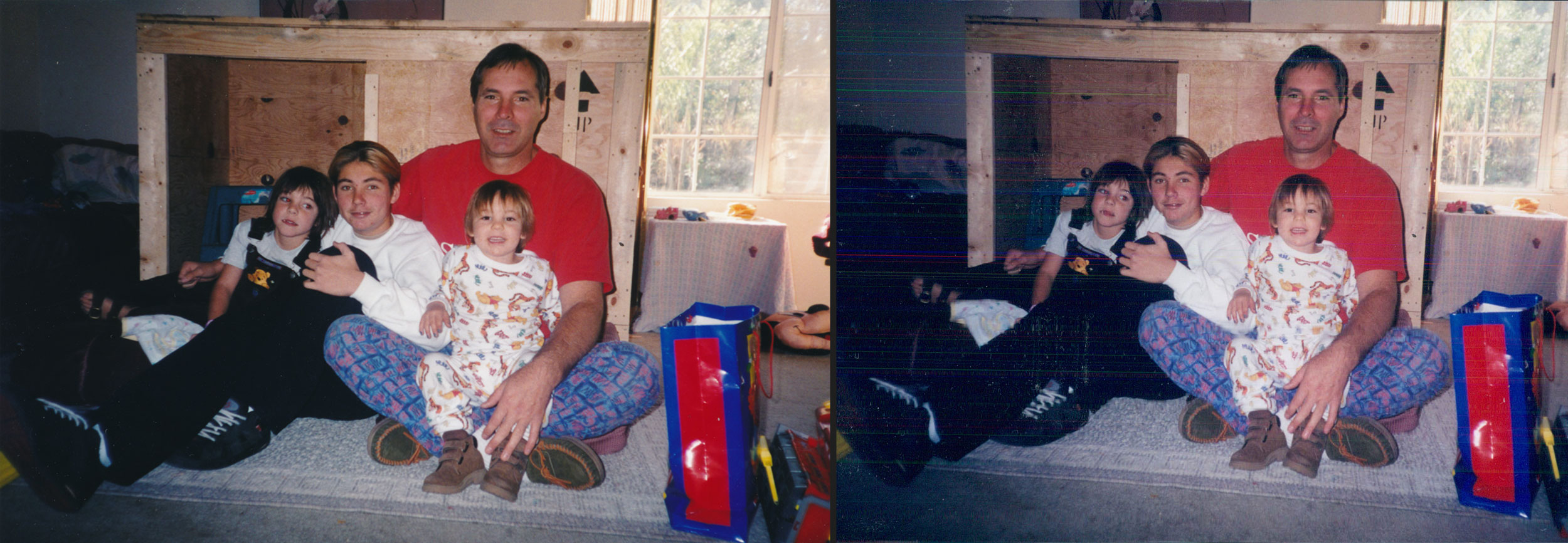
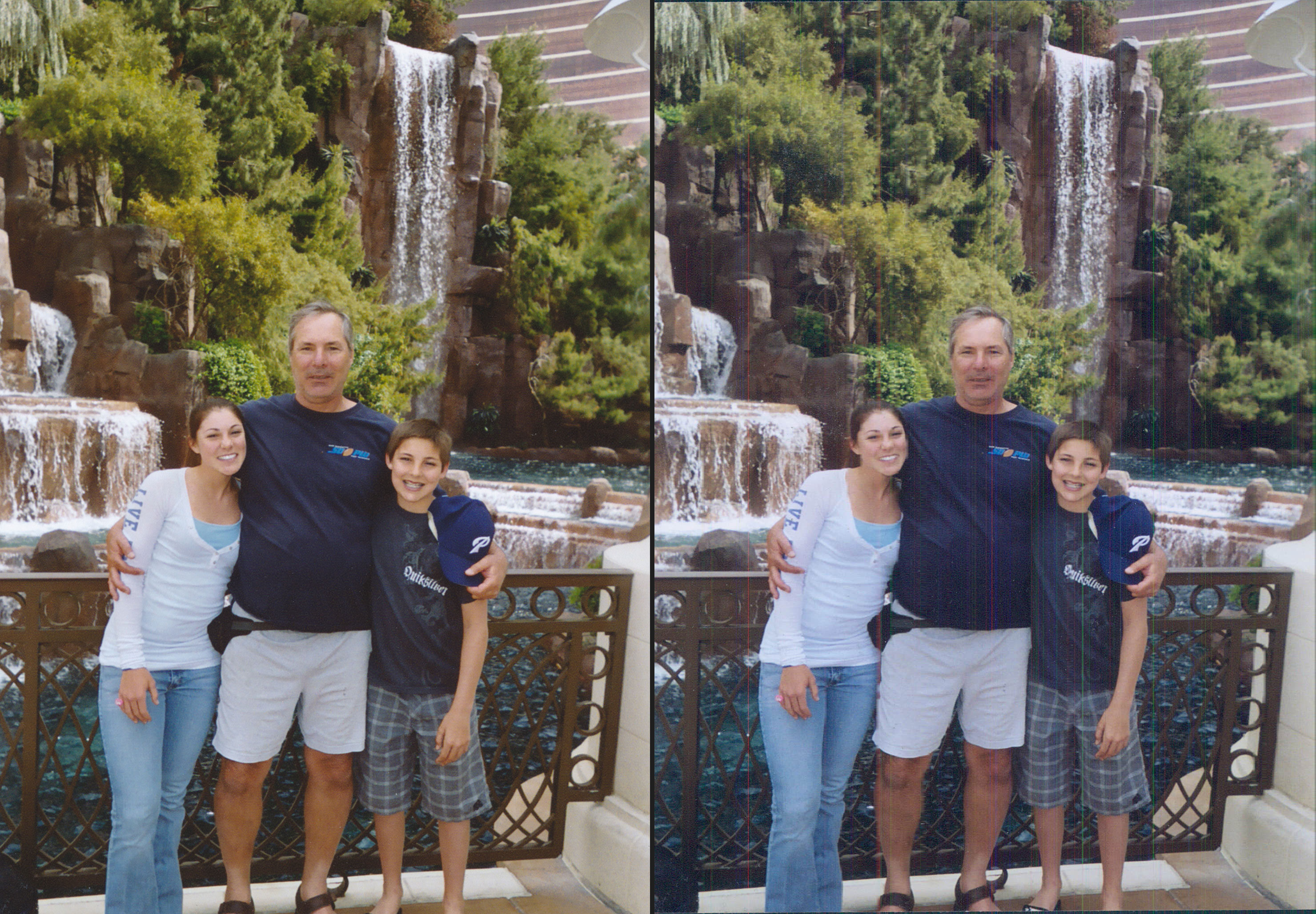
Document scanners were built for office paperwork, not photographs. When photo digitizing became popular, some companies began using these machines for fast “shoebox scanning,” but the results were low quality. These scanners move the photo across the glass at high speed, which reduces accuracy, introduces streaks, and increases the risk of damage.
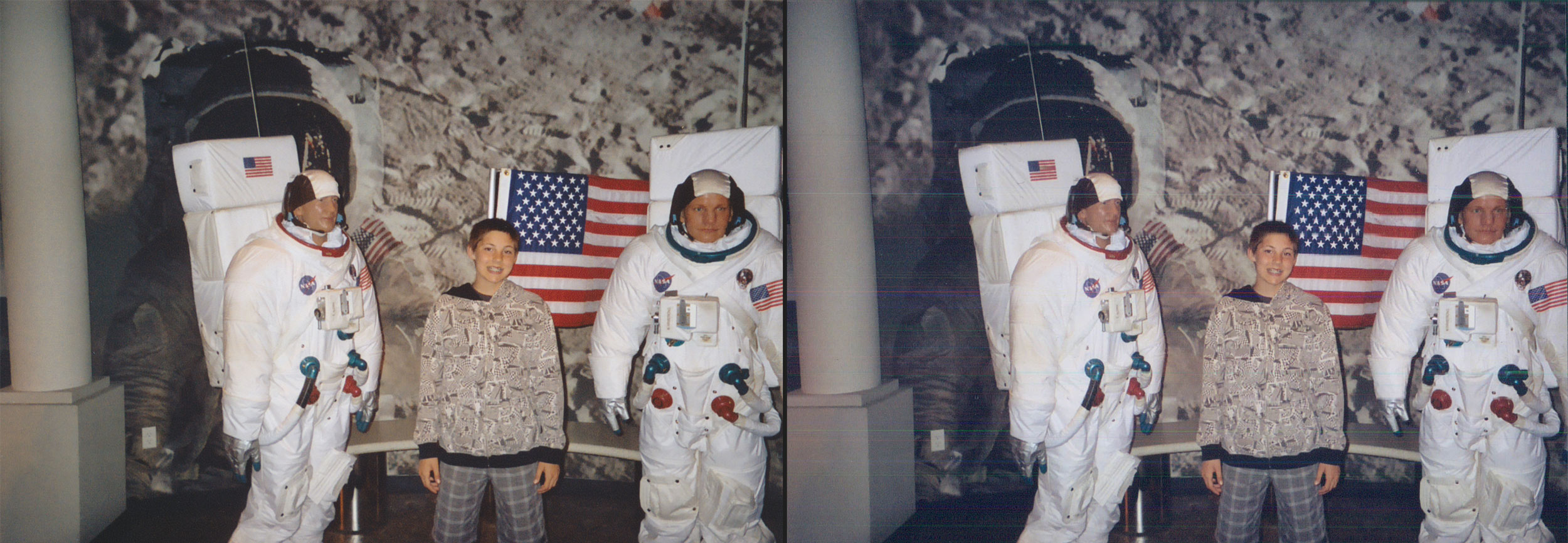
DVD Your Memories tested a Kodak photo scanning unit years ago to see if it might improve efficiency. After comparing the scans to our flatbed results, the difference was clear. The document scanner produced streaking, lost shadow detail, and visible artifacts that made the images unsuitable for archival use. It also carried a higher chance of bending or scratching photos during feeding.
Because of these quality and safety issues, we do not use document scanners for any photo scanning service. Flatbed scanning remains the only method that protects your originals and produces results we consider archival.
Below, you will see sample images comparing flatbed scans to document scanner results. The images on the left side were scanned using a dedicated flatbed scanner, while the images on the right side were fed through a document scanner. The differences are clear:
These issues make document scanners unsuitable for digital photo archiving. Flatbed scanning remains the safest and highest-quality method for preserving your collection.
Some low-cost scanning services still rely on document scanners or outsource photos overseas. If you find offers for extremely cheap bulk photo scanning, ask what equipment they use. If it is a document scanner, your photos are at risk, and the digital files will not be archival quality.
300 DPI is suitable for general archiving. Choose 600 DPI for high-resolution photo scanning, enlargements, or detailed restoration work.
Yes. We offer in-album scanning for most album types, including fragile or vintage albums that cannot be dismantled safely.
Yes. Bulk photo scanning options are available for large shoebox collections, multi-album projects, and multi-generational archives.
Our photo restoration service can fix fading, stains, creases, scratches, fungus, and missing areas.
JPEG is standard, but TIFF formats are available upon request for archival or editing purposes.
Choose a thumb drive, external hard drive, direct upload, or Data DVD. The first archival DVD master is included at no charge.
We temporarily store your files during production. For long-term safety, we recommend creating your own digital photo backup once you receive your files.
If you are ready to digitize photos, restore old photographs, or build a long-term digital archive, DVD Your Memories can help. Bring us your albums and prints, explore your scanning options, and start preserving your memories today.