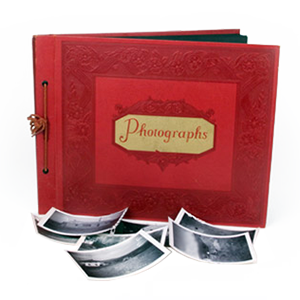
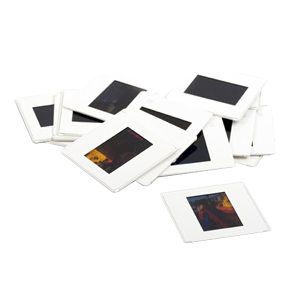
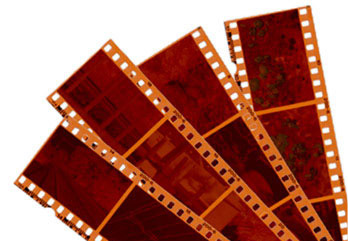
No matter what kind of negatives you have, or how old they may be, we will convert them to a beautiful digital archive that can be kept forever and used for many purposes. All negative scanning is performed locally by hand, at high resolution, on professional equipment that delivers archival quality digital files. We can return the digital archive of your negatives back to you on a thumbdrive, an external hard drive, by direct upload, or on a Data DVD.
| 4000 DPI | 3000 DPI | 2000 DPI | |
|---|---|---|---|
| Pricing (per negative) | $0.89 | $0.79 | $0.69 |
| Prices include Digital ICE and scratch removal, exposure correction, cropping and proper image rotation. Digital ICE can not be used on black and white negatives. | |||
| Please Note: Price above is per negative, not per negative strip |
|||
| Delivery Options: | |||
| Most Popular | Thumbdrive…starting at $20.00 | ||
| Upload emailed to you | starting at $5.00 | ||
| Data DVD | No Charge (Please note: the Data DVD is not a playable movie DVD…it just carries the files so that you can copy them to your computer) |
||
| Simple Slideshow: | if you’d like to view your negatives as a movie that plays all of the images at random, you can add a simple slideshow to your order. You can have up to 900 images. This video is silent, no music, and is randomized: $49.00 | ||
| If you’d like a slideshow video of your negatives with music of your choice, titles, and even video clips click here to visit our Video Celebration Page. | |||
NOTE: For quantities over 500 negatives, additional bulk discounts apply; please inquire at the time of your order.

For customers who only need certain images scanned from a strip of negatives, please add $1 per negative strip which will not be scanned in its entirety.
$1 per Negative Strip

Sharing your memories with others? We provide extra CD/DVD copies packaged and ready for only $10 each.
$10 per CD / DVD
Our professional-grade slide scanners can create JPEG or TIFF format images up to 4000 DPI. This is the highest resolution available and is recommended for the true archivist. Imagine being able to print out your images as large as 11″x17″!




| 4000 DPI | 3000 DPI | 2000 DPI | |
|---|---|---|---|
| Pricing (per negative) | $5.49 | $4.49 | $3.49 |
| Prices include Digital ICE and scratch removal, exposure correction, cropping and proper image rotation. Digital ICE can not be used on black and white negatives. | |||
| Please Note: Price above is per negative, not per negative strip |
|||
| Delivery Options: | |||
| Most Popular | Thumbdrive…starting at $20.00 | ||
| Upload emailed to you | starting at $5.00 | ||
| Data DVD | No Charge (Please note: the Data DVD is not a playable movie DVD…it just carries the files so that you can copy them to your computer) |
||
| Simple Slideshow: | if you’d like to view your negatives as a movie that plays all of the images at random, you can add a simple slideshow to your order. You can have up to 900 images. This video is silent, no music, and is randomized: $49.00 | ||
| If you’d like a slideshow video of your negatives with music of your choice, titles, and even video clips click here to visit our Video Celebration Page. | |||
NOTE: For quantities over 500 negatives, additional bulk discounts apply; please inquire at the time of your order.
For customers who only need certain images scanned from a strip of negatives, please add $1 per negative strip which will not be scanned in its entirety.
$1 per Negative Strip
Sharing your memories with others? We provide extra CD/DVD copies packaged and ready for only $10 each.
$10 per CD / DVD
Our professional-grade slide scanners can create JPEG or TIFF format images up to 4000 DPI. This is the highest resolution available and is recommended for the true archivist. Imagine being able to print out your images as large as 11″x17″!
| 4000 DPI | 3000 DPI | |
|---|---|---|
| Pricing (per negative)* | $2.99 | $2.49 |
| Prices include Digital ICE and scratch removal, exposure correction, cropping and proper image rotation. Digital ICE can not be used on black and white negatives. | ||
| Please Note: Price above is per negative, not per negative strip |
||
| Delivery Options: | ||
| Most Popular | Thumbdrive…starting at $20.00 | |
| Upload emailed to you | starting at $5.00 | |
| Data DVD | No Charge (Please note: the Data DVD is not a playable movie DVD…it just carries the files so that you can copy them to your computer) |
|
| Simple Slideshow: | if you’d like to view your negatives as a movie that plays all of the images at random, you can add a simple slideshow to your order. You can have up to 900 images. This video is silent, no music, and is randomized: $49.00 | |
| If you’d like a slideshow video of your negatives with music of your choice, titles, and even video clips click here to visit our Video Celebration Page. | ||
NOTE: For quantities over 500 negatives, additional bulk discounts apply; please inquire at the time of your order.
For customers who only need certain images scanned from a strip of negatives, please add $1 per negative strip which will not be scanned in its entirety.
$1 per Negative Strip
Sharing your memories with others? We provide extra CD/DVD copies packaged and ready for only $10 each.
$10 per CD / DVD
Our professional-grade slide scanners can create JPEG or TIFF format images up to 4000 DPI. This is the highest resolution available and is recommended for the true archivist. Imagine being able to print out your images as large as 11″x17″!
| 4000 DPI | 3000 DPI | 2000 DPI | |
|---|---|---|---|
| Pricing (per negative) | $2.99 | $2.49 | $1.99 |
| Prices include Digital ICE and scratch removal, exposure correction, cropping and proper image rotation. Digital ICE can not be used on black and white negatives. | |||
| Please Note: Price above is per negative, not per negative strip |
|||
| Delivery Options: | |||
| Most Popular | Thumbdrive…starting at $20.00 | ||
| Upload emailed to you | starting at $5.00 | ||
| Data DVD | No Charge (Please note: the Data DVD is not a playable movie DVD…it just carries the files so that you can copy them to your computer) |
||
| Simple Slideshow: | if you’d like to view your negatives as a movie that plays all of the images at random, you can add a simple slideshow to your order. You can have up to 900 images. This video is silent, no music, and is randomized: $49.00 | ||
| If you’d like a slideshow video of your negatives with music of your choice, titles, and even video clips click here to visit our Video Celebration Page. | |||
NOTE: For quantities over 500 negatives, additional bulk discounts apply; please inquire at the time of your order.
For customers who only need certain images scanned from a strip of negatives, please add $1 per negative strip which will not be scanned in its entirety.
$1 per Negative Strip
Sharing your memories with others? We provide extra CD/DVD copies packaged and ready for only $10 each.
$10 per CD / DVD
Our professional-grade slide scanners can create JPEG or TIFF format images up to 4000 DPI. This is the highest resolution available and is recommended for the true archivist. Imagine being able to print out your images as large as 11″x17″!
Files are in JPEG format. If you would like TIFF files please add 25¢ per image.
Add $0.25 per image
These are also known as proof sheets. Contact sheets allow you to view all your pictures in seconds on a few pieces of paper.
$10 for every 100 negatives
For most manual color corrections (color balance, levels, brightness, contrasting, etc.) the cost is $1 per image. A technician will inspect and manually adjust each image; we don’t rely on an automated computer program to judge what looks good to the human eye.
$1.00 per image restored
DVD Your Memories charges $40 per half-hour for image restoration (fixing deep/wide scratches, scuffs, damage from tape/glue).
$40 per half hour

Once we’ve scanned your slides, why not make a slideshow movie out of it? Pick out your favorite music and let us do the rest. What better way to watch your memories than in your own personalized DVD slideshow movie!?
Above 3 1/2″ x 2 1/4″ to 5″ x 7″ Negative
| 3200 DPI | 2400 DPI | 1200 DPI | |
|---|---|---|---|
| Pricing (per negative) | $6.99 | $5.99 | $4.99 |
| For over 100 images, please call for a quote. All scans included levels adjustments. . Please speak with a manager or image scanning technician for more information about alternate scanning resolutions. | |||
| Please Note: Price above is per negative, not per negative strip |
|||
| Delivery Options: | |||
| Most Popular | Thumbdrive…starting at $20.00 | ||
| Upload emailed to you | starting at $5.00 | ||
| Data DVD | No Charge (Please note: the Data DVD is not a playable movie DVD…it just carries the files so that you can copy them to your computer) |
||
| Simple Slideshow: | if you’d like to view your negatives as a movie that plays all of the images at random, you can add a simple slideshow to your order. You can have up to 900 images. This video is silent, no music, and is randomized: $49.00 | ||
| If you’d like a slideshow video of your negatives with music of your choice, titles, and even video clips click here to visit our Video Celebration Page. | |||
Up to 12″x16″ Negative
| 2400 DPI | 1200 DPI | |
|---|---|---|
| Pricing (per negative) | $6.99 | $4.99 |
| For over 100 images, please call for a quote. All scans included levels adjustments. . Please speak with a manager or image scanning technician for more information about alternate scanning resolutions. | ||
| Please Note: Price above is per negative, not per negative strip | ||
| Delivery Options: | ||
| Most Popular | Thumbdrive…starting at $20.00 | |
| Upload emailed to you | starting at $5.00 | |
| Data DVD | No Charge (Please note: the Data DVD is not a playable movie DVD…it just carries the files so that you can copy them to your computer) |
|
| Simple Slideshow: | if you’d like to view your negatives as a movie that plays all of the images at random, you can add a simple slideshow to your order. You can have up to 900 images. This video is silent, no music, and is randomized: $49.00 | |
| If you’d like a slideshow video of your negatives with music of your choice, titles, and even video clips click here to visit our Video Celebration Page. | ||
For customers who only need certain images scanned from a strip of negatives, please add $1 per negative strip which will not be scanned in its entirety.
$1 per Negative Strip
Sharing your memories with others? We provide extra CD/DVD copies packaged and ready for only $10 each.
$10 per CD / DVD
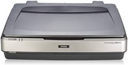
Our professional-grade negative scanners can create JPEG or TIFF format images up to 3200 DPI. This is the highest resolution available and is recommended for the true archivist. Imagine being able to print out your images as large as 11″x17″!

Transferring your images to an external hard drive
is recommended especially for larger orders of many negatives or high-resolution images.