35mm Slide Scanning

Scan 35mm Slides

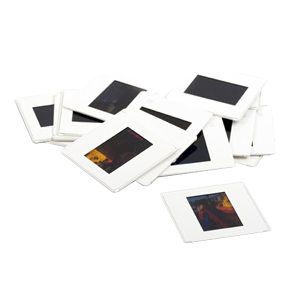
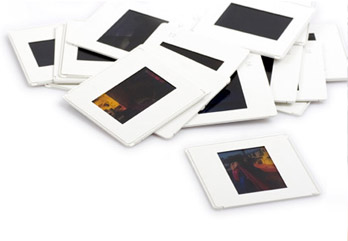
The most common format of slides is that of the 35mm variety. We will scan your slides using the best slide scanning equipment in the market. With a variety of options to choose from, you can be sure that we can custom tailor your slide scanning order to your exact needs.
Pricing and Basic Info

Mounted 35mm, 126 & 110 Slides

Number of Images 4000 DPI 3000 DPI 2000 DPI
1-100 $1.29 Each 99¢ Each 79¢ Each
101-500 $1.19 Each 89¢ Each 69¢ Each
501-1500 $1.15 Each 85¢ Each 65¢ Each
1501+ $1.09 Each 79¢ Each 59¢ Each
Prices include Digital ICE4 dust and scratch removal, exposure correction, cropping and proper image rotation.
  • All Orders: Add $10 per DVD/CD, or $20 for a Blu-ray data disc. There is a $10 minimum for all orders. Also, if you are organizing your photos into groups of less than 20 photos, then there will be a $1 per custom folder/filename only for the groups that have less than 20 images.
  • If you are bringing in your own flash/hard drive with data on it to store these files, there is a $15 setup fee. There is no fee if your drive does not have data on it or if we've provided the drive for you.
  • TIFF Format

    Extra Copies

    Sharing your memories with others? We provide extra copies packaged and ready for only $10 each.

    $10 per CD / DVD
  • TIFF Format

    Upgraded Resolution - 4000 DPI

    Our professional-grade slide scanners can create JPEG or TIFF format images up to 4000 DPI. This is the highest resolution available and is recommended for the true archivist. Imagine being able to print out your images as large as 11"x17"!

Click here for Optional Add Ons
  • TIFF Format

    TIFF Format

    Files are in JPEG format. If you would like TIFF files please add 50¢ per image.

    Add $0.50 per image

  • TIFF Format

    Contact Proof Sheets

    These are also known as proof sheets. Contact sheets allow you to view all your pictures in seconds on a few pieces of paper.

    $10 for every 100 slides
  • TIFF Format

    Upgrade to Blu-ray

    Upgrade your slide scanning order to our Blu-Ray discs for only $20! We'll place your slides as digital images on a Blu-ray disc, which holds much more data than a CD or DVD. For more information about our Blu-ray services, please visit our Blu-ray transfer page.

    $20 per disc
  • TIFF Format

    Basic Restoration

    For most manual color corrections (color balance, levels, brightness, contrasting, etc.) the cost is $1 per image. A technician will inspect and manually adjust each image; we don't rely on an automated computer program to judge what looks good to the human eye.

    $1.00 per image restored
  • TIFF Format

    Advanced Restoration

    DVD Your Memories charges $40 per half-hour for image restoration (fixing deep/wide scratches, scuffs, damage from tape/glue).

    $40 per half hour
  • TIFF Format

    Slideshow Movies

    Once we've scanned your slides, why not make a slideshow movie out of it? Pick out your favorite music and let us do the rest. What better way to watch your memories than in your own personalized DVD slideshow movie!?

    Click here for more info


Geek Corner

Slide Scanning

35mm Slide Scanning

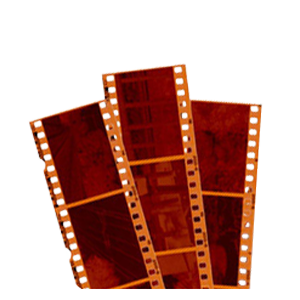
35mm film is the basic film gauge most commonly used for chemical still photography and motion pictures, and remains relatively unchanged since its introduction in 1892 by William Dickson and Thomas Edison, using film stock supplied by George Eastman. The photographic film is cut into strips 35 millimeters (about 1 3/8 inches) wide—hence the name. The standard negative pulldown for movies (“single-frame” format) is four perforations per frame along both edges, which makes for exactly 16 frames per foot. (for stills, the standard frame is eight perforations).

The Process

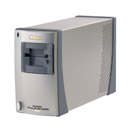
Slides are first cleaned with compressed air. This removes any extra dust and other particles without damaging the slide. For this we use a special air compressor to allow just the right amount of air pressure. We use the professional grade Nikon SuperCoolSCAN 5000 ED and 9000 ED slide scanners to digitize your slides. These are dedicated units that produce amazing results when used properly. There are companies out there that will scan slides to dvd using flat-bed scanners. Those companies will not be able to attain the depth of color or clarity of a more high-end dedicated slide scanner such as the Nikon SuperCoolSCAN 5000/9000 ED. Slides are previewed in the scanning software program where the cropping and other adjustments are set. All slides are labeled numerically by box marking (ie: FarmHouse_001.jpg). Folders are also named according to the original organizational structure of the slides. After all the slide scanning is finished we go through each image one-by-one and make sure that it is oriented properly (people are standing upright) and not flipped (words appearing mirrored). Once the image scanning technician has looked over all the images, a second technician will look over each image again and sign off on the “customer notes sheet” showing that each image has truly been double-checked. Once all the slides have been scanned and inspected, they will be burned to our special 100 year archival DVDs (unless otherwise specified by the customer). These disks are regarded as the best medium for long-term storage.

Deteriorating slides

Almost every 35mm slide we encounter has deteriorated in some form. Let’s face it, slides are usually pretty old and nothing stays looking new forever. There are many defects that arise through the aging process. The most common ailment for slides is simple fading. Fading usually manifests as colors losing their vibrancy and a general yellowing of the entire image. If you are interested in seeing how we can restore your old slides please ask your image scanning technician to give you an example.

Manual Color Correction Service vs. Image Restoration Service

Manual color correction is described in the Pricing and Basic Info section and mainly is used to fix problems with color. For example if the slide has a yellow cast to it, in many cases we can neutralize that color and bring back the original colors. We will check for the whitest pixel in the important viewable area of the image and reset that to the 100% white value, and do the same for black. No software program can do this because we are evaluating the image based on the important data and disregarding things like backlighting from windows and such. If your images has a color cast to them or are too dark, just ask our image scanning technician to employ the manual color correction service. We can even enhance one or two images so that you can see how beautiful your slides can be. The Image Restoration Service will digitally repair your slides. If your slides have folds, scratches, color blots, fungus or any number of imperfections, ask our image scanning technician for a quote for your slide(s). Even if the image has a piece missing it may be possible to reproduce this missing section based on another slide or other data inside the same slide. It is amazing what can be done with Adobe Photoshop, some extra plug-ins, knowhow and experience. And don’t worry, all the original data will be saved.

From the Blog

San Diego Slide Scanning Services

Nikon scanner

Looking to get your slides scanned to high resolution digital images, locally in San Diego? Our team of San Diego slide scanning scanning professionals have years of combined experience dealing … Continue reading

Types of Slide Formats – A List of Film Formats for Slides

35mm

With all of the different types of film on the word today, it can be a challenge to determine exactly what type you have. The chart below should help you … Continue reading

Large Format Slide and Negative Scanning

10K_02

DVD Your Memories is now offerring large format slide scanning and large format negative scanning! We can now scan 220 large format negatives and large format slide at resolutions up … Continue reading

Scan Slides Using Household Items!

neg-scanner-diy

If you’re ever in a pinch, and need to scan slides or negatives using household items, this is for you! With just a simple toilet paper roll and a DSLR … Continue reading

Creating Crafts From Old 35mm Slides

slidecurtain1

Once your whole collection of slides has been processed either through a slide scanning, or slides to DVD order, you may often wonder what you should do with your old … Continue reading

Areas Served

DVD Your Memories curently providing 35mm slide scanning services for Los Angeles, San Diego, Orange County and Denver.

San Diego Cities

Clairemont Mesa, Del Mar, La Jolla, Mission Beach, North Park, Pacific Beach, Torrey Hills, Torrey Pines, University City, Carmel Mountain Ranch, Miramar, Mira Mesa, Rancho Bernardo, Rancho Penasquitos, Sabre Springs, Scripps Ranch, Sorrento Valley, Kearny Mesa, Mission Valley East, San Carlos, Serra Mesa, Tierrasanta, Hillcrest, Linda Vista, Morena, Ocean Beach, Oceanside, Old Town, Pacific Beach, Point Loma, Shelter Island, Sunset Cliffs, University Heights, Balboa Park, Bankers Hill, Lemon Grove, El Cajon, Santee, Lakeside, La Mesa, Poway, Encinitas, Chula Vista, Cardiff, Leucadia, Eastlake, Bonita, Vista, Imperial Beach, National City, San Marcos, Solana Beach, Alpine, Fallbrook, Jamul, Harbison Canyon, Borrego Springs, Casa de Oro, Mount Helix, Spring Valley

Los Angeles Cities

Acton, Alhambra, Altadena, Arcadia, Avalon, Azusa, Baldwin Park, Bellflower, Bell Gardens, Bell, Beverly Hills, Burbank, Calabasas, Carson, Century City, Cerritos, Claremont, Compton, Covina, Culver City, Diamond Bar, Downey, Duarte, Eagle Rock, East Los Angeles, El Monte, El Segundo, Encino, Gardena, Glendale, Glendora, Hawaiian Gardens Hawthorne, Hermosa Beach, Huntington Park, Inglewood, Irwindale, La Canada Flintridge, La Mirada, La Puente, La Verne, Lakewood, Lomita, Lancaster, Long Beach, Los Angeles, Lynwood, Malibu, Manhattan Beach, Marina Del Rey, Maywood, Monrovia, Montebello, Monterey Park, Montrose, Northridge, Norwalk, Palmdale, Palos Verdes Penninsula, Paramount, Pasadena, Pico Rivera, Pomona, Rancho Palos Verdes, Redondo Beach, Rosemead, San Dimas, San Fernando, San Gabriel, San Marino, San Pedro, Santa Clara, Santa Fe Springs, Santa Monica, Sierra Madre, South El Monte, South Gate, South Pasadena, Sunland, Studio City, Tarzana, Temple City, Toluca Lake, Torrance, Tujunga, Valencia, Van Nuys, Venice, Verdugo City, Vernon, Walnut, West Covina, West Hollywood, Whittier

Orange County Cities

Aliso Viejo, Anaheim, Avalon, Brea, Buena Park, Commerce, Corona, Costa Mesa, Cudahy, Dana Point, Duarte, Foothill Ranch, Fountain Valley, Fullerton, Garden Grove, Hawaiian Gardens, Hidden Hills, Huntington Beach, Industry, Irvine, La Habra, La Miranda, La Palma, La Puente, La Verne, Laguna Beach, Laguna Hills, Laguna Niguel, Lake Forest, Lawndale, Los Alamitos, Mission Viejo, Newport Beach, Palos Verdes Estates, Placentia, Rancho Santa Margarita, Rolling Hills Estates, Rolling Hills, Sierra Madre, Signal Hill, San Clemente, San Juan Capistrano, Santa Ana, Seal Beach, Stanton, Tustin, Vernon, Villa Park, Yorba Linda

Denver Cities

Denver, Aurora, Highlands Ranch, Centennial, Greenwood Village, Glendale, Littleton, Thornton,Lakewood,Sheridan, Cherry hills Village, Englewood, Lone Tree, Wheatridge, Arvada, Westminster, Parker, Golden, Northglenn, Castle Rock

Zip Codes

92656, 92698, 92801, 92802, 92803, 92812, 92821, 92822, 92823, 90620, 90621, 90622, 92625, 92626, 92627, 92628, 90630, 92629, 92650, 92609, 92610, 92708, 92728, 92831, 92840, 92842, 92846, 92605, 92602, 90631, 92637, 92630, 92690, 92658, 92856, 92672, 92675, 92701, 92780, 92885

92007, 92009, 92014, 92024, 92025, 92026, 92027, 92029, 92040, 92064, 92065, 92067, 92069, 92071, 92075, 92078, 92091, 92111, 92117, 92119, 92120, 92121, 92122, 92123, 92124, 92126, 92127, 92128, 92129, 92130, 92131

80303, 80305, 80027, 80026, 80020, 80614, 80602, 80614, 80601, 80603, 80020, 80640, 80603, 80022, 80007, 80021, 80031, 80030, 80003, 80004, 80403, 80002, 80111, 80110, 80113