Transfer Microcassette To CD

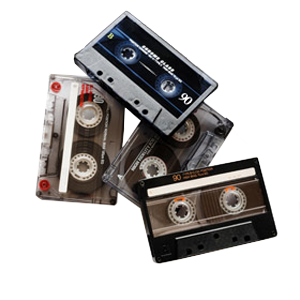
Microcassettes have long been used as a substitute of the standard audio cassette commonly to record things on the go, such as lectures or answering machines. We can convert your microcassette to CD, Mp3, wav, or any other audio format you can think of!

Supported Formats

Cassette to CD reel to reel to cd Vinyl Record LP to CD Micro Cassette to CD

Pricing and Basic Info

Microcassette Cassette to CD

Length (minutes) 1-5 Tapes

6-19 Tapes
(5% Off)

20+ Tapes
(10% Off)

1-30 $15

$14.25 Each

$13.50 Each

31-60 $20

$19.00 Each

$18.00 Each

61-90 $25

$23.75 Each

$22.50 Each

91-120 $30

$28.50 Each

$27.00 Each

Additional Hours $10

$9.50 Each

$9.00 Each

You are only charged for the actual audio time. If you have a two hour tape, but there is only one hour recorded you would pay for one hour. To cut audio into separate tracks on CD just add $10.

This service is for direct transfer to CD or hard drive only. We use a professional high-quality tape deck to ensure the best quality transfer. All audio is recorded onto the highest grade archival CDs.

Extra copies are available for just $10 each.

User-Recommended Upgrades

Audio Restoration

We also offer post-recording audio restoration on the media you have transferred. Among them are noise, click, pop and scratch reduction/removal, normalization, equalization, and track splicing (creating one good copy from two bad ones). This service is offered at $40 per half hour of editing time.

Microcassette Geek Corner

Microcassette Transfer

Transfer Microcassette to CD

Microcassettes were introduced by Olympus in 1969. It uses the same tape width as a standard audio cassette, but the tape is thinner and contained in a much smaller casing. Microcassettes are also recorded and played back at a slower speed in order to compete with the recording length of the standard audio cassette.

Microcassettes could be recorded in two different speeds interchangeably at either 2.4 cm per second, or 1.2 cm per second which would double the recording time. So if you had a 90 minute microcassette recorded at 1.2 cm per second, you would have about 3 hours of recording time on that little cassette! Don't hesitate to convert your old microcassettes to a digital format that will stand the test of time.

Microcassette to CD Transfer Process

Prior to the microcassette to CD transfer, your media will be inspected by our microcassette transfer technician to check for any inconsistancies or damage to the tape or audio cassette. If we notice something that would prevent the transfer of your microcassette to CD, we will give you a call to let you know the source of the problem, and if it's repairable. Once the microcassette to CD order is completed, we store your files to our in-house computers, the audio is run through audio editing software which allows the audio transfer technician to determine the sound quality of the microcassette to CD transfer. If needed, we offer basic audio cleanup services to remove recording errors or other problems which are common in older analog recordings. Once the recording is determined to be of optimum quality, it will then be burned to a 100-year archival audio CD and then labeled to your specifications.

Keep in mind that audio CDs can hold up to 74 minutes of recording time. For microcassettes over 74 minutes, we will have to break up the tape onto two CDs in order to process the order. Typically in this event, after the microcassette audio transfer, we would split the recording evenly in order to fit everything onto the other disc. We can combine or mix your audio in any fashion you choose.

Track-Splitting

When you bring microcassette in for transferring, you have the option to set up what's called "track splits". Track splitting will enable you to skip from one track to another while playing the CD in your CD Player. This is especially useful for microcassettes with recorded music, as you can switch songs easier than ever before.

Basic Microcassette Audio Editing

With our basic audio editing services, we can help fix up the minor problems that may be present in your microcassette recordings. Our audio transfer technicians are trained on a wide variety of methods to remedy audio issues.

  • Speed up or slow down your audio. Older microcassette tapes were often capable of being recorded at different speeds. If you have an microcassette tape that plays either too fast, or too slow, we can fix this by digitally adjusting the playback speed to the perfect level.
  • Remove unwanted sound from recordings - If you had ever wanted to clean up your microcassette tape by removing randomly placed blips of static or noise, we can remove any unwanted noises or whole chunks of audio, if desired.
  • Custom-placed track splitting - We can strategically place track splits anywhere in your recording!
  • Remove static hums and hiss from your audio - We can greatly diminish the presence of a static humming or hiss sound that persists throughout your recording. Depending on the quality of the original cassette, we can produce some amazing results.
  • Pop/Click removal - Older audio generally exhibits some form of degradation such as clicking and popping. This is mostly caused by dust and dirt that has clung onto your audio over the years.

Microcassette Audio Restoration

Do your recordings have some audio issues? Our audio restoration service can help to revitalize your old recordings. Our audio restoration technicians are heavily experienced with handling a wide array of older audio recordings with a variety of symptoms. Although often a complicated process, we can usually greatly diminish many common problems associated with older analog media. Please speak to your local audio technician if you have any questions.

Transferring Microcassette to MP3

While CDs are the most convenient format for most customers, we can transfer your microcassette audio into just about any file format you can think of. You can specify bit rate, number of channels as well as hertz for your custom MP3 or WAV file. The default MP3 settings are 320 kilobits per second at 44,100 hertz. If you are bringing in your own flash/hard drive with data on it to store these files, there is a $15 setup fee. There is no fee if your drive does not have data on it or if we’ve provided the drive for you.

Additional Information

DVD Your Memories is curently offering microcassette to cd service in Los Angeles, San Diego & Orange Counties

San Diego Cities

Clairemont Mesa, Del Mar, La Jolla, Mission Beach, North Park, Pacific Beach, Torrey Hills, Torrey Pines, University City, Carmel Mountain Ranch, Miramar, Mira Mesa, Rancho Bernardo, Rancho Peñasquitos, Sabre Springs, Scripps Ranch, Sorrento Valley, Kearny Mesa, Mission Valley East, San Carlos, Serra Mesa, Tierrasanta, Hillcrest, Linda Vista, Morena, Ocean Beach, Oceanside, Old Town, Pacific Beach, Point Loma, Shelter Island, Sunset Cliffs, University Heights, Balboa Park, Bankers Hill, Lemon Grove, El Cajon, Santee, Lakeside, La Mesa, Poway, Encinitas, Chula Vista, Cardiff, Leucadia, Eastlake, Bonita, Vista, Imperial Beach, National City, San Marcos, Solana Beach, Alpine, Fallbrook, Jamul, Harbison Canyon, Borrego Springs, Casa de Oro, Mount Helix, Spring Valley

Los Angeles Cities

Acton, Alhambra, Altadena, Arcadia, Avalon, Azusa, Baldwin Park, Bellflower, Bell Gardens, Bell, Beverly Hills, Burbank, Calabasas, Carson, Century City, Cerritos, Claremont, Compton, Covina, Culver City, Diamond Bar, Downey, Duarte, Eagle Rock, East Los Angeles, El Monte, El Segundo, Encino, Gardena, Glendale, Glendora, Hawaiian Gardens Hawthorne, Hermosa Beach, Huntington Park, Inglewood, Irwindale, La Canada Flintridge, La Mirada, La Puente, La Verne, Lakewood, Lomita, Lancaster, Long Beach, Los Angeles, Lynwood, Malibu, Manhattan Beach, Marina Del Rey, Maywood, Monrovia, Montebello, Monterey Park, Montrose, Northridge, Norwalk, Palmdale, Palos Verdes Penninsula, Paramount, Pasadena, Pico Rivera, Pomona, Rancho Palos Verdes, Redondo Beach, Rosemead, San Dimas, San Fernando, San Gabriel, San Marino, San Pedro, Santa Clara, Santa Fe Springs, Santa Monica, Sierra Madre, South El Monte, South Gate, South Pasadena, Sunland, Studio City, Tarzana, Temple City, Toluca Lake, Torrance, Tujunga, Valencia, Van Nuys, Venice, Verdugo City, Vernon, Walnut, West Covina, West Hollywood, Whittier

Zip Codes

92656, 92698, 92801, 92802, 92803, 92812, 92821, 92822, 92823, 90620, 90621, 90622, 92625, 92626, 92627, 92628, 90630, 92629, 92650, 92609, 92610, 92708, 92728, 92831, 92840, 92842, 92846, 92605, 92602, 90631, 92637, 92630, 92690, 92658, 92856, 92672, 92675, 92701, 92780, 92885

92007, 92009, 92014, 92024, 92025, 92026, 92027, 92029, 92040, 92064, 92065, 92067, 92069, 92071, 92075, 92078, 92091, 92111, 92117, 92119, 92120, 92121, 92122, 92123, 92124, 92126, 92127, 92128, 92129, 92130, 92131

Orange County Cities

Aliso Viejo, Anaheim, Avalon, Brea, Buena Park, Commerce, Corona, Costa Mesa, Cudahy, Dana Point, Duarte, Foothill Ranch, Fountain Valley, Fullerton, Garden Grove, Hawaiian Gardens, Hidden Hills, Huntington Beach, Industry, Irvine, La Habra, La Miranda, La Palma, La Puente, La Verne, Laguna Beach, Laguna Hills, Laguna Niguel, Lake Forest, Lawndale, Los Alamitos, Mission Viejo, Newport Beach, Palos Verdes Estates, Placentia, Rancho Santa Margarita, Rolling Hills Estates, Rolling Hills, Sierra Madre, Signal Hill, San Clemente, San Juan Capistrano, Santa Ana, Seal Beach, Stanton, Tustin, Vernon, Villa Park, Yorba Linda

(c) 2011 DVD Your Memories. All Rights Reserved